Need help?

Planning a reliable WiFi network or security system doesn’t have to be complicated. The UniFi Design Center is Ubiquiti’s free, easy-to-use tool that helps you design, visualise, and plan your UniFi setup before you buy or install anything.
Whether you’re setting up WiFi for a small business, upgrading your office network, or adding security cameras, this tool makes it simple to get everything right from the start.
With the UniFi Design Center, you can create a full network layout directly in your browser.
Simply upload a floor plan or start from scratch, then place devices like UniFi access points and cameras to see how your network will look. It’s a quick and practical way to plan WiFi coverage and device placement without any technical guesswork.
This is ideal for:
One of the biggest challenges with any network is making sure your WiFi reaches every area.
The UniFi Design Center solves this by showing you a visual map of your coverage. You can see where your signal is strong, where it may drop, and adjust your access point placement accordingly.
This helps you:
Planning your network in advance also makes it easier to select the right hardware.
As you build your design, you’ll get a clearer idea of which UniFi access points, switches, and cameras you need. This helps prevent overspending or buying equipment that doesn’t fit your space.
If you’re unsure what to choose, the Design Center gives you a clear starting point before you explore the full UniFi range.
The tool allows you to view your network in both 2D and 3D, making it easier to understand how everything fits within your space.
This is especially useful if you’re planning a new layout or want to see how devices will perform in different rooms or areas. It also makes it easier to explain your setup to colleagues or decision-makers.
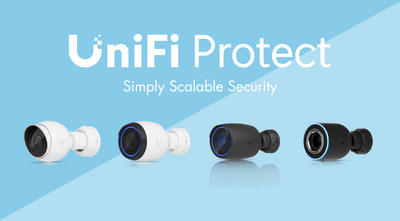
If you’re installing UniFi Protect cameras, the Design Center helps you plan your security system too.
You can see each camera’s field of view and identify any blind spots before installation. This ensures better coverage and gives you confidence that your premises are fully protected.
The UniFi Design Center is a simple but powerful tool that helps you:
Try out the tool here: https://design.ui.com/
Once you’ve planned your network, explore the full range of UniFi products at MS Dist to bring your setup to life.
Explore the range: Cloud Gateways | WiFi | Switching | Camera Security | Door Access | Advanced Hosting | Accessories
The UniFi Design Center is a free, browser-based network planning tool from Ubiquiti that helps you design and simulate UniFi WiFi and security networks before installation.
You can design a UniFi network using the UniFi Design Center by uploading a floor plan, placing devices like access points and cameras, and reviewing WiFi coverage to optimise performance.
Yes, the UniFi Design Center allows you to map WiFi coverage across offices, shops, and other business environments, helping you avoid dead zones and improve connectivity.
Yes, the UniFi Design Center tool is completely free and available to anyone using UniFi products.
No, the tool is designed to be easy to use, making it suitable for small businesses, home users, and anyone planning a UniFi network.