Need help?

Choosing the best Ubiquiti WiFi 7 access point for your home, office, or enterprise is easier when you understand the new WiFi 7 features and where each UniFi model fits. This buyer’s guide summarises the lineup and helps you match the right UniFi WiFi 7 AP to your use case so you get fast, reliable, and future-ready wireless performance.
Wi-Fi 7 delivers multi-gigabit throughput, lower latency, and better efficiency. Key technologies include 320 MHz channel widths for higher bandwidth, Multi-Link Operation so devices can use more than one band at a time for stability and responsiveness, improved MIMO and more spatial streams to handle dense device environments. These advances benefit 4K and 8K streaming, gaming, VR and AR, video conferencing, smart home devices, and mission-critical business apps.
Ubiquiti’s WiFi 7 range covers small homes through to high-density enterprises. Models include U7 Lite, U7 LR, U7 Pro, U7 Pro Max, U7 Pro Wall, U7 In-Wall, U7 Outdoor, U7 Pro Outdoor, U7 Pro XG, and U7 Pro XGS.
| Category | Best fit models | Why choose |
|---|---|---|
| Home and SOHO | U7 Lite, U7 LR | Affordable entry to WiFi 7 with strong coverage and everyday performance |
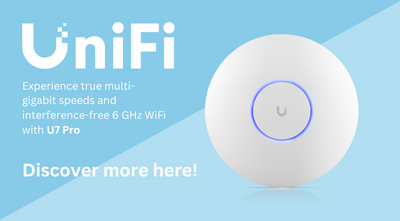
| Small and medium offices | U7 Pro, U7 Pro Wall | Balanced speed, mounting flexibility, and capacity for multi-room businesses |
| Large offices and campuses | U7 Pro Max | Higher client density and throughput for busy networks |
| High-density enterprise | U7 Pro XG, U7 Pro XGS | Built for the most demanding deployments and multi-gig backhaul |
| Hospitality and MDU | U7 In-Wall | Discreet in-room coverage with Ethernet breakout where needed |
| Outdoor venues | U7 Outdoor, U7 Pro Outdoor | Ruggedised coverage for terraces, campuses, and open areas |
Speed and latency vary by environment, client device, and channel use. In practical evaluations using common tools across 2.4 GHz, 5 GHz, and 6 GHz, higher-tier UniFi models consistently sustain multi-gigabit throughput at short range and maintain stronger performance as more devices connect. For best results, plan cabling and switching for multi-gig uplinks, make sure you have all the equipment required to provide the suitable software applications, and place APs to reduce obstructions and interference.
Yes, for homes and businesses that want multi-gig speeds, lower latency for real-time apps, and better performance as device counts grow.
WiFi 7 improves efficiency on 2.4 GHz and 5 GHz, but 6 GHz-capable clients unlock the highest throughput and the least congestion.
For most small offices the U7 Pro balances cost and capability. For homes the U7 Lite or U7 LR provide excellent coverage with modern features.
It depends on construction, floor plan, and user density. As a rule, one AP per 90 to 140 square metres in modern buildings is a practical starting point. Survey and adjust based on signal and client load.
Ubiquiti’s WiFi 7 access points cover every scenario from smart homes to high-density enterprise. Match the model to your environment, plan uplinks and placement carefully, and ensure you have the right supporting equipment. With the right UniFi AP you will deliver faster wireless, lower latency, and a network ready for the devices and applications of 2025.
To help you decide which model is best for your environment, we’ve collaborated with Inside Wire on a hands-on comparison video. Check it out below: