Need help?

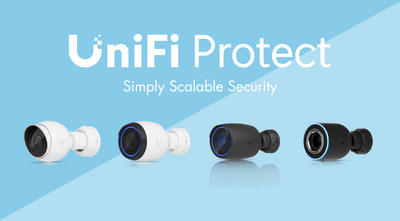
The latest release of UniFi Protect 6.2 brings a range of useful improvements designed to make video security simpler, smarter, and easier to manage for homes, small businesses, and retail environments. With updates focused on system visibility, smarter alerts, and improved camera control, UniFi Protect continues to deliver a powerful and flexible surveillance platform for everyday use.
Whether you’re monitoring a home, shop, office, or multi-camera site, UniFi Protect 6.2 introduces features that help you stay informed and in control.
Discover the latest features introduced in UniFi Protect 7.2 here.
UniFi Protect 6.2 introduces real-time system status indicators, allowing you to see how your video security system is performing at a glance. Live metrics such as video activity and system load make it easier to understand what’s happening across your cameras.
For users running multiple cameras, this provides added confidence that footage is being captured and processed smoothly.
Managing who can view or control cameras is now more straightforward. UniFi Protect 6.2 adds improved permission controls, making it easier to assign access based on how each user needs to interact with the system.
This is ideal for small businesses or households where different users may need different levels of access, without complicating setup or security.
Activity logs within UniFi Protect have been improved to be clearer and easier to navigate. This makes it simpler to review recent changes, check access history, or investigate unusual activity.
For everyday users, this means less time searching through logs and more confidence in how the system is being used.
UniFi Protect 6.2 introduces Shopify integration, making it particularly useful for retail environments. Cameras can now be linked directly to Shopify point-of-sale systems, allowing you to quickly view video footage associated with transactions.
This feature is ideal for shop owners looking to improve loss prevention or review incidents more efficiently, without needing separate tools.
Finding the right footage is now faster and more intuitive. UniFi Protect 6.2 improves timeline navigation and playback, including synchronised viewing across multiple cameras and added contextual information during reviews.
These enhancements make it easier to identify key moments without manually scrubbing through hours of footage.
To reduce unnecessary notifications, UniFi Protect now supports detection exclusion zones. These allow you to ignore movement in specific areas of a camera’s view, such as busy roads, pavements, or background activity.
This helps ensure alerts are more relevant, keeping distractions to a minimum while maintaining reliable security coverage.
For setups using PTZ cameras, UniFi Protect 6.2 improves camera control and automation. You can set default positions, create presets, and ensure cameras return to tracking automatically after manual adjustments.
This makes PTZ cameras easier to use and more reliable in both home and small business environments.
UniFi Protect 6.2 delivers practical improvements that make video security easier to manage, more informative, and better suited to real-world use. With smarter alerts, clearer system insight, and retail-friendly features, UniFi Protect remains a strong choice for anyone looking to protect their home or business with a flexible and easy-to-use surveillance solution.
Watch the video below for a complete overview of the new UniFi Protect 6.2 updates and features:
We stock the complete UniFi Camera Security and UniFi Door Access ranges with fast UK shipping and friendly customer support. As an authorised Ubiquiti distributor, MS Dist is your trusted source for UniFi solutions.