Need help?

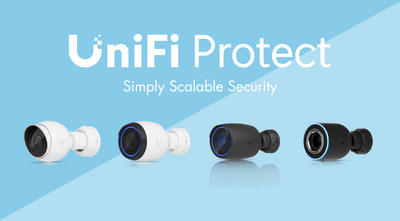
Ubiquiti has introduced UniFi Protect 7.2, bringing new tools for verifying video evidence, investigating incidents, integrating third-party cameras, improving AI detection, and managing security across multiple locations.
The update expands UniFi Protect beyond straightforward camera monitoring, helping homeowners and businesses find important footage more easily, respond to incidents with greater confidence, and manage increasingly sophisticated security systems from one platform.
Whether you are protecting your home, monitoring a shop or office, or managing cameras across several commercial sites, here is what is new in UniFi Protect 7.2.
Discover the latest features introduced in UniFi Protect 7.3 here.
The main additions in UniFi Protect 7.2 include:
Together, these features make it easier to review footage, manage investigations, integrate existing equipment, and maintain visibility across both small and large UniFi Protect deployments.
One of the biggest additions to UniFi Protect 7.2 is the new Evidence System.
Video clips can be given a unique cryptographic fingerprint when they are captured. Downloaded footage can then be checked through Ubiquiti’s evidence verification service to confirm that it remains authentic.
If a video has been altered or tampered with after it was recorded, the verification process can identify the change. This creates a clearer chain of trust between the original recording and the downloaded file.
For homeowners, this can provide greater confidence when sharing footage following a theft, delivery dispute, or property incident. For businesses, it can support more formal investigations where the integrity of the recording may be important.
The Evidence System can also be enrolled without requiring an additional licence.
UniFi Protect 7.2 introduces improved case management tools for reviewing and organising security incidents.
Relevant footage and other assets can be grouped into a case, making it easier to keep everything associated with an incident in one place. The system also records who viewed the case, which assets were accessed, and what evidence was downloaded.
This creates a clear audit trail from the initial review through to the conclusion of an investigation.
For a household or small business, this provides a more organised way to collect the recordings associated with a particular event. Larger organisations can use the same tools to improve consistency and accountability across security teams, departments, or locations.
UniFi Protect already supports compatible third-party cameras through ONVIF, and Protect 7.2 expands the level of control available.
Recording and video encoding settings for supported cameras can now be managed centrally through UniFi Protect. Third-party cameras can also be synchronised with a common UniFi time server, helping footage from different devices maintain consistent timestamps.
Compatible camera input and output connections can also be used within trigger-and-action workflows.
This could make the transition to UniFi Protect more practical for users who already have an existing camera system. Rather than replacing every device immediately, compatible third-party cameras may be brought into the wider UniFi Protect environment.
The UniFi AI Port can provide an additional route for adding advanced detection and recognition capabilities to compatible UniFi and ONVIF third-party cameras.
Protect 7.2 also expands its Point of Sale integration for retail and commercial environments.
Through the UniFi Protect Point of Sale API, transaction information can be connected with the relevant video footage. Users can then search recordings using transaction metadata, helping them locate the moment surrounding a particular purchase or till event.
This can be useful when investigating:
Instead of manually searching through hours of recordings, teams can use the transaction information to reach the relevant footage more quickly.
For warehouses, construction sites, and other safety-sensitive environments, UniFi Protect 7.2 introduces real-time PPE detection through the UniFi AI Key.
The system can identify when required personal protective equipment appears to be missing and flag a potential safety issue as it happens. This gives security and safety teams an opportunity to investigate and respond more quickly.
PPE detection should be used to support established safety procedures rather than replace staff training, supervision, risk assessments, or other health and safety controls.
Alongside PPE detection, the UniFi AI Key adds deeper event analysis, natural-language event searching, speech transcription, and enhanced image processing to compatible UniFi Protect systems.
UniFi Protect 7.2 also introduces Second-Stage AI Verification.
When a camera identifies an event with low confidence or produces competing object classifications, the event can be checked using a more advanced secondary AI model. This additional review is designed to improve classification accuracy and reduce incorrect reports.
For everyday users, this could mean fewer irrelevant notifications and less time spent checking events that turn out to be unimportant.
For larger systems processing high volumes of activity, improved classification can also make it easier for security teams to concentrate on the events most likely to require attention.
UniFi Protect 7.2 makes it easier to examine recorded footage through the mobile app.
Frame-by-frame timeline scrubbing allows users to move through a recording more precisely, helping them identify the exact moment an event occurred. This can be particularly useful when reviewing fast-moving incidents, vehicle activity, deliveries, or people entering and leaving a property.
Customisable mobile widgets also provide faster access to connected controls. Depending on the wider UniFi setup, these widgets can be used to unlock doors through SuperLink relays or control compatible dimmable PoE floodlights.
This brings camera monitoring, access control, and lighting controls closer together within the mobile experience.
UniFi Site Manager has also been updated with improved support for multi-site and multi-tenant security environments.
Users responsible for several homes, offices, shops, or commercial properties can gain centralised visibility across their different UniFi Protect deployments. Support for multi-site video walls also makes it easier to monitor footage from several locations within one connected view.
This is particularly useful for businesses with distributed premises, property managers, installers, and organisations that need to oversee multiple sites without continually switching between separate systems.
Although several of the new features are designed for larger and more complex security deployments, Protect 7.2 also introduces practical improvements for home users and smaller businesses.
Homeowners can benefit from more accurate alerts, detailed mobile footage review, and greater confidence when exporting recordings.
Shops and hospitality businesses can connect transactions with video, while offices and commercial premises can use improved investigation and case management tools.
Warehouses and construction sites can introduce AI-supported PPE monitoring, while multi-site organisations can manage distributed security systems more efficiently through Site Manager.
The result is a more scalable platform that can support everything from a straightforward home camera system to a more advanced commercial deployment.
UniFi Protect 7.2 brings greater intelligence, flexibility, and control to video security systems of all sizes.
Verified video evidence and improved case management provide more confidence when investigating incidents. Expanded ONVIF controls make it easier to incorporate compatible third-party cameras, while smarter AI, mobile tools, and multi-site management simplify everyday monitoring.
Whether you are building a new security system or upgrading an existing deployment, explore the complete range of UniFi Protect cameras, video recorders, AI appliances, and accessories available from MS Dist for homes and businesses.
Not sure which camera is right for your requirements? Read our guide to choosing between UniFi G5, G6, and AI cameras, or explore our complete UniFi camera deployment guide for help planning your setup.
Watch the video below for a complete overview of UniFi Protect 7.2: