


Ubiquiti UniFi G4 Dome
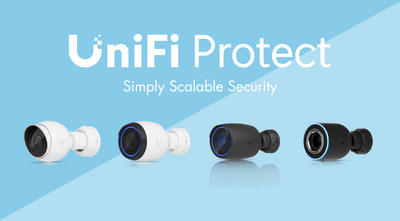
The Ubiquiti G4 Dome offers advanced security camera technology, including 4MP video quality, two-way audio, and a weather-resistant enclosure for discreet indoor or outdoor surveillance. With infrared LEDs and an automatic IR cut filter, this product provides reliable day and night monitoring. Other features include 4MP, 24 FPS video quality, an IPx4 weatherproof enclosure, and a built-in microphone and speaker.
Tech Specs
Click here for the UniFi G4 Dome datasheet.
| Device Specifications | |
|---|---|
| Overview | |
| Dimensions | Ø109.2 x 64.5 mm (Ø4.3 x 2.5") |
| IR Night Vision | 9 m (30 ft) |
| Smart Detections | People, Vehicles, Animals ✓ |
| Resolution | 2K |
| Field of View | H: 102.4°, V: 71.4°, D: 134.3° |
| Audio | Two-way audio |
| Weatherproofing | IPX4 |
| Tamper Resistance | IK08 |
| Mounting | Wall, ceiling mount (Included) Junction box, arm mount (Optional) |
| Performance | |
| Networking Interface | GbE RJ45 port |
| Video | Image Settings: Brightness, contrast, sharpness, saturation, noise reduction, 50/60 Hz Max. Frame Rate: 24 FPS Resolution: 4MP 2688 x 1512 (16:9) |
| Optics | Sensor: 5MP CMOS Lens: Fixed focal length Night Mode: Built-in light sensor, IR LED illumination and IR cut filter |
| Hardware | |
| Max. Power Consumption | 5W |
| Supported Voltage Range | 44—57V DC |
| Power Method | PoE |
| Processor | Quad-core Arm® Cortex®-A53 based chip |
| Weight | Without mount: 370 g (13.1 oz) With mount: 390 g (13.8 oz) |
| Enclosure Material | Aluminum alloy, polycarbonate, hard-coated dome |
| Mount Material | Polycarbonate, stainless steel |
| Button | (1) Factory-reset |
| Environment & Compliance | |
| Ambient Operating Temperature | -20 to 40° C (-4 to 104° F) |
| Ambient Operating Humidity | 0 to 90% noncondensing |
| NDAA Compliant | ✓ |
| Certifications | CE, FCC, IC |
FAQs
Q: What is the Ubiquiti UVC-G4-Dome and what is it designed for?
A: The UVC-G4-Dome is a compact, high-resolution PoE camera designed for overhead and wide-area surveillance. It offers 4MP (2688 x 1512) resolution, 30 ft IR night vision, two-way audio, and a weather-resistant design, making it ideal for both indoor and outdoor installations.
Q: What are the key features of the UVC-G4-Dome?
A: Key features include:
-
Resolution: 4MP (2688 x 1512) at 24 fps
-
Field of View: Horizontal: 102.4°, Vertical: 71.4°, Diagonal: 134.3°
-
Night Vision: Built-in IR LED illumination up to 9 meters (30 feet)
-
Audio: Two-way audio with built-in microphone and speaker
-
Weather Resistance: IPX4-rated enclosure
-
Vandal Resistance: IK08-rated
-
Power: Powered by 802.3af PoE (44–57V DC)
-
Management: Managed via UniFi Protect application
Q: What are the physical and environmental specifications?
A: The camera measures Ø109.2 x 64.5 mm (Ø4.3 x 2.5 inches) and weighs 370 g (13.1 oz) without the mount, or 390 g (13.8 oz) with the mount. It operates in temperatures ranging from -20°C to 40°C (-4°F to 104°F) and humidity levels from 0% to 90% non-condensing.
Q: How is the UVC-G4-Dome powered and managed?
A: The camera is powered via 802.3af PoE with a supported voltage range of 44–57V DC. It is managed through the UniFi Protect application, available on both desktop and mobile platforms, allowing for remote monitoring and configuration.
Q: What are the video compression and resolution capabilities?
A: The UVC-G4-Dome supports H.264 video compression format. It delivers 4MP (2688 x 1512) resolution at a maximum frame rate of 24 fps, ensuring clear and smooth video playback suitable for various surveillance applications.